Making Peer Feedback Playable
Setup
To replicate the system used in this study for automating feedback classification and assigning card-based incentives, follow the steps below.
- Make a copy of the cards and print them out (double-sided since every second page are the backs of the cards) on standard 8.5x11” paper or card stock.
- Download the scripts that will be used in the following steps.
- Collect Peer Feedback Using Moodle
- Use the Workshop activity in Moodle to set up a peer review cycle.
- Ensure that students are required to submit both their work and feedback for at least three peers.
- Download feedback in bulk using the Moodle
scraper.jsscript to extract all peer feedback comments into a CSV format. - Classify Feedback Using ChatGPT
- Use few-shot prompting to classify each comment using the Code Review Taxonomy 1.
- You can (and probably should) edit the taxonomy to fit your discipline (e.g., art critique, essay peer review, etc.).
- Convert Classifications to Points
- Each taxonomy category maps to a point value as described in the Pre-Intervention Phase.
- You can either get the AI to do this or create a formula in Excel.
- Assign Cards Based on Points
- Use
card-assigner.jsto translate points into action cards (e.g., 3 = 1 steal card). - Show the output of the script to your students when it’s time to play so they know who gets which cards.
- Use
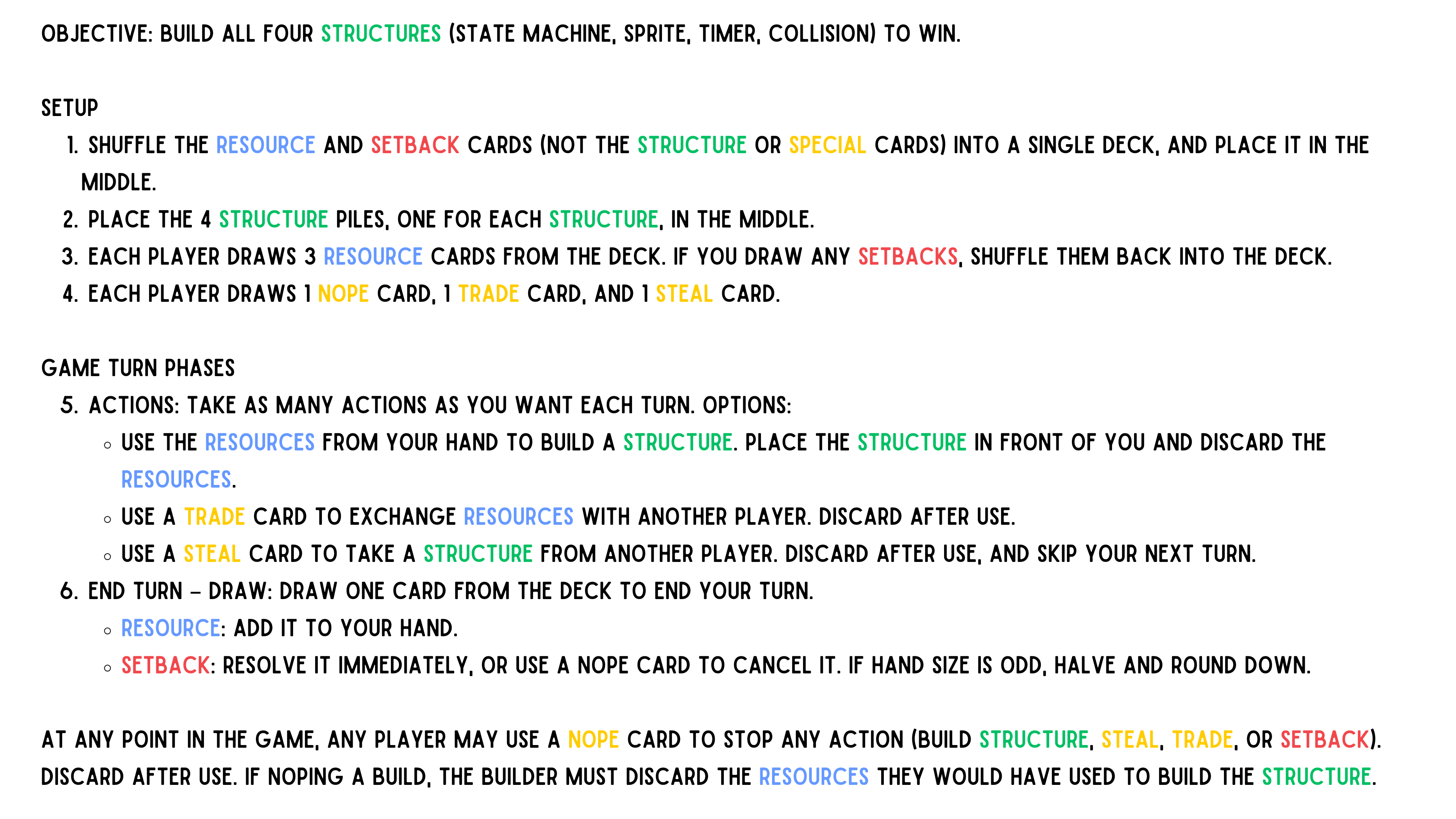
Game Rules
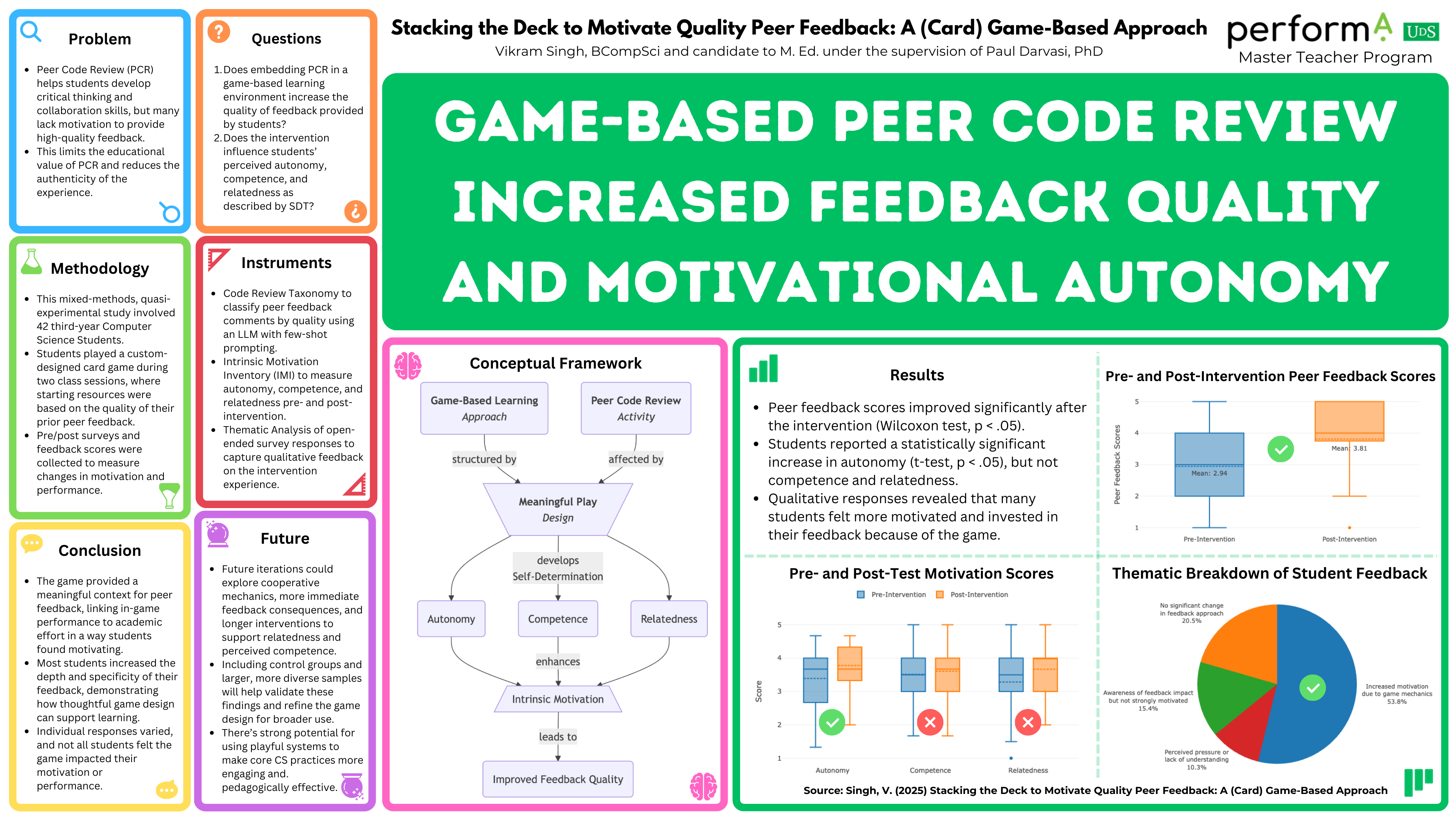
Poster
- Abstract
- Closing Statement
- Code Review Taxonomy
- Conceptual Framework
- Conclusion
- Consent Form
- Data Analysis
- Data Collection Procedure
- Discussion
- Game Intervention
- Intrinsic Motivation Inventory (IMI)
- Introduction
- Literature Review Outline
- Literature Review
- Methodology
- Plotly Examples
- Pre-Test & Post-Test
- Problem Statement
- Few-Shot Prompt Design for LLM Classification
- Research Proposal
- Results
- Structuring Knowledge
- The Game
- Thesis